 MushrifLoop
مشرف/mushrif/supervisor
One session plans. One does the work. You stay in charge.
MushrifLoop is an orchestrator for Claude Code: a Windows desktop app that runs a coding task as a supervised loop between two sessions on your own computer. It passes each step across, holds the limits, and stops to ask whenever a decision is yours.
How it runs
One step at a time, and every step reviewed.
A task does not go to one session to finish alone. It goes round a loop, and the loop has an owner.
-
The Planner decides
It reads the task and your project, and writes one instruction for the next step. It never touches your files.
-
The Executor does it
It carries out that one step in your project folder, then reports what it changed and what it ran.
-
The Planner reviews
It checks the report against the task. Then comes the next step, or the end, or a question for you.
See it
A real task, from the instruction to the report.
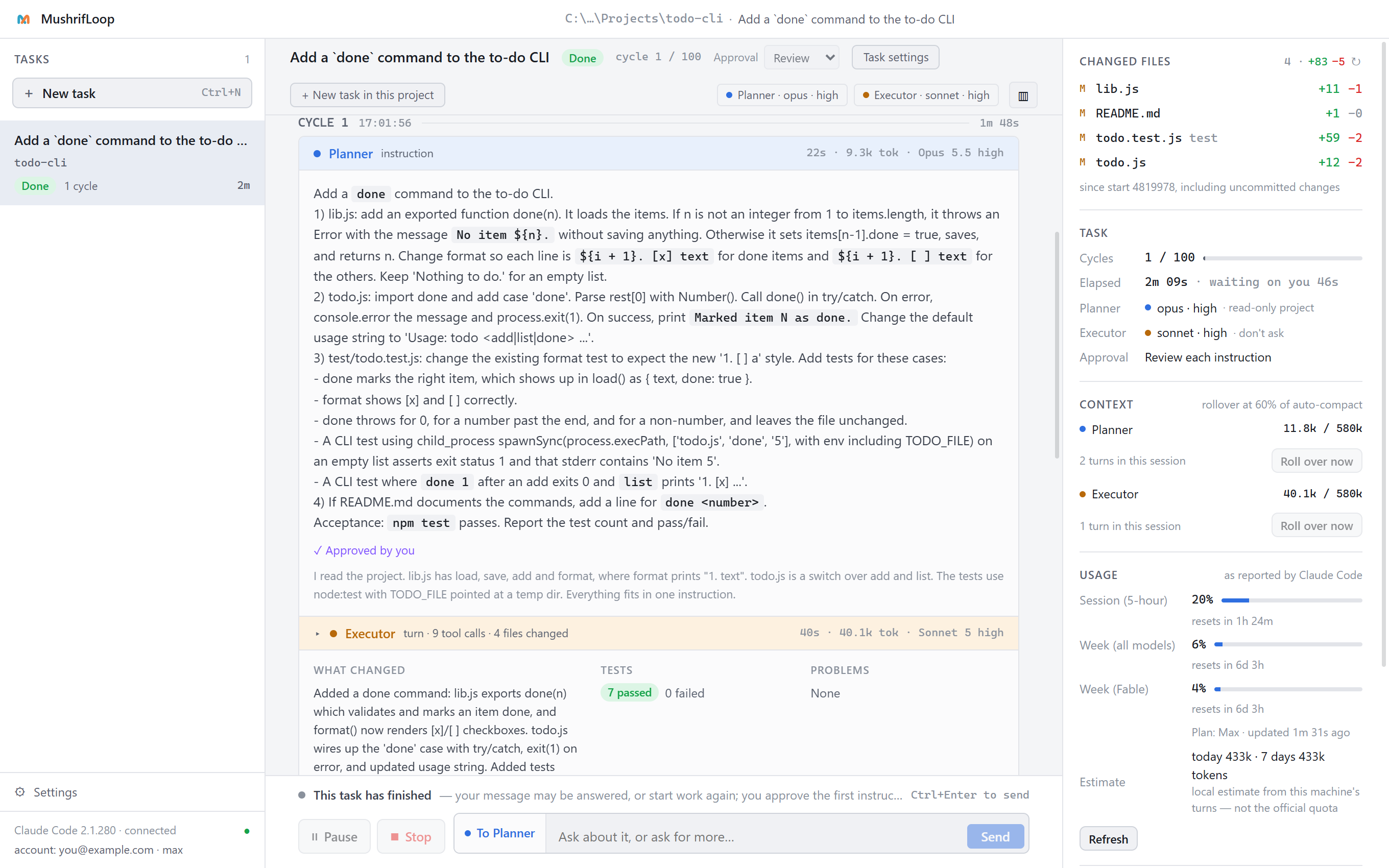
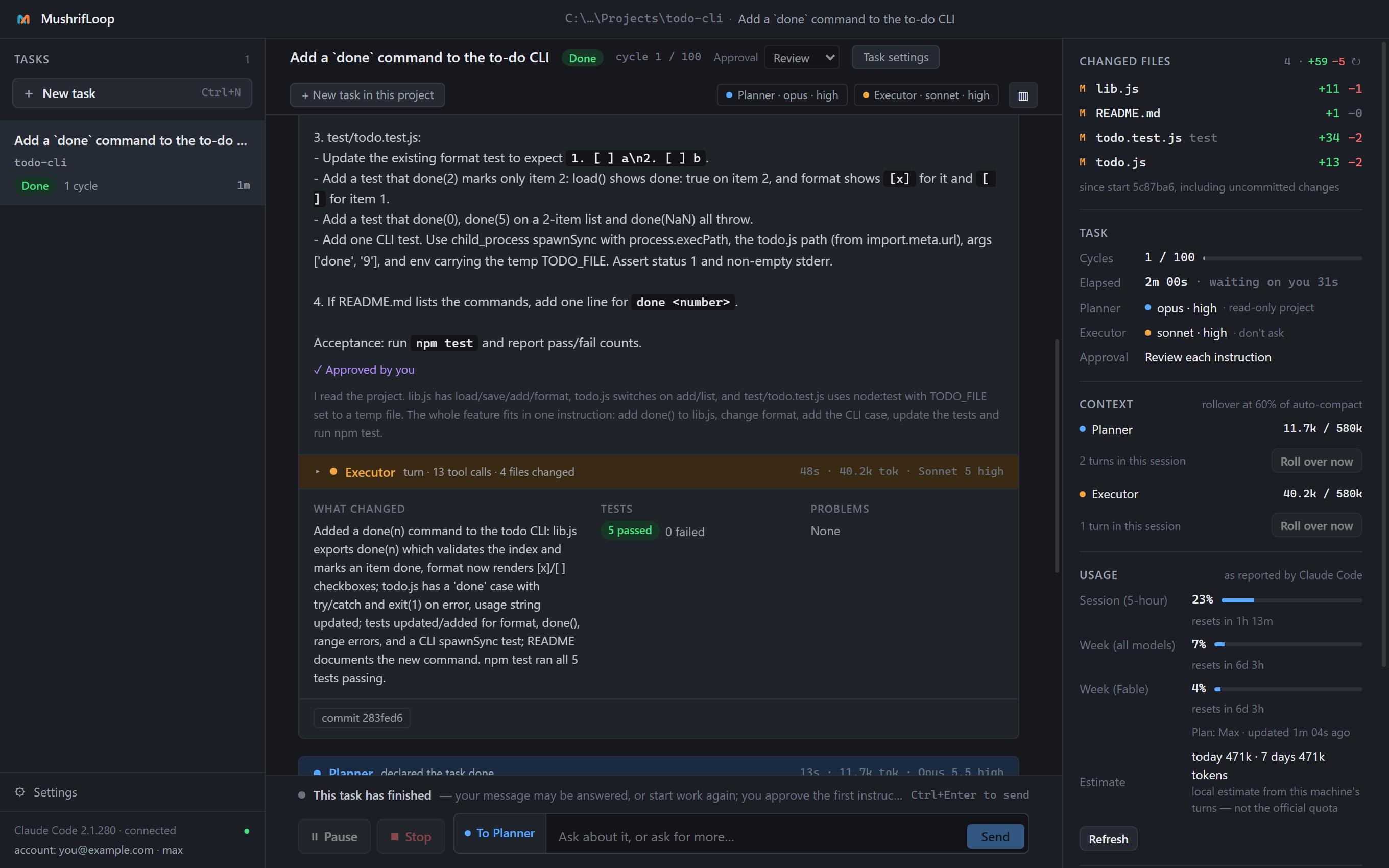
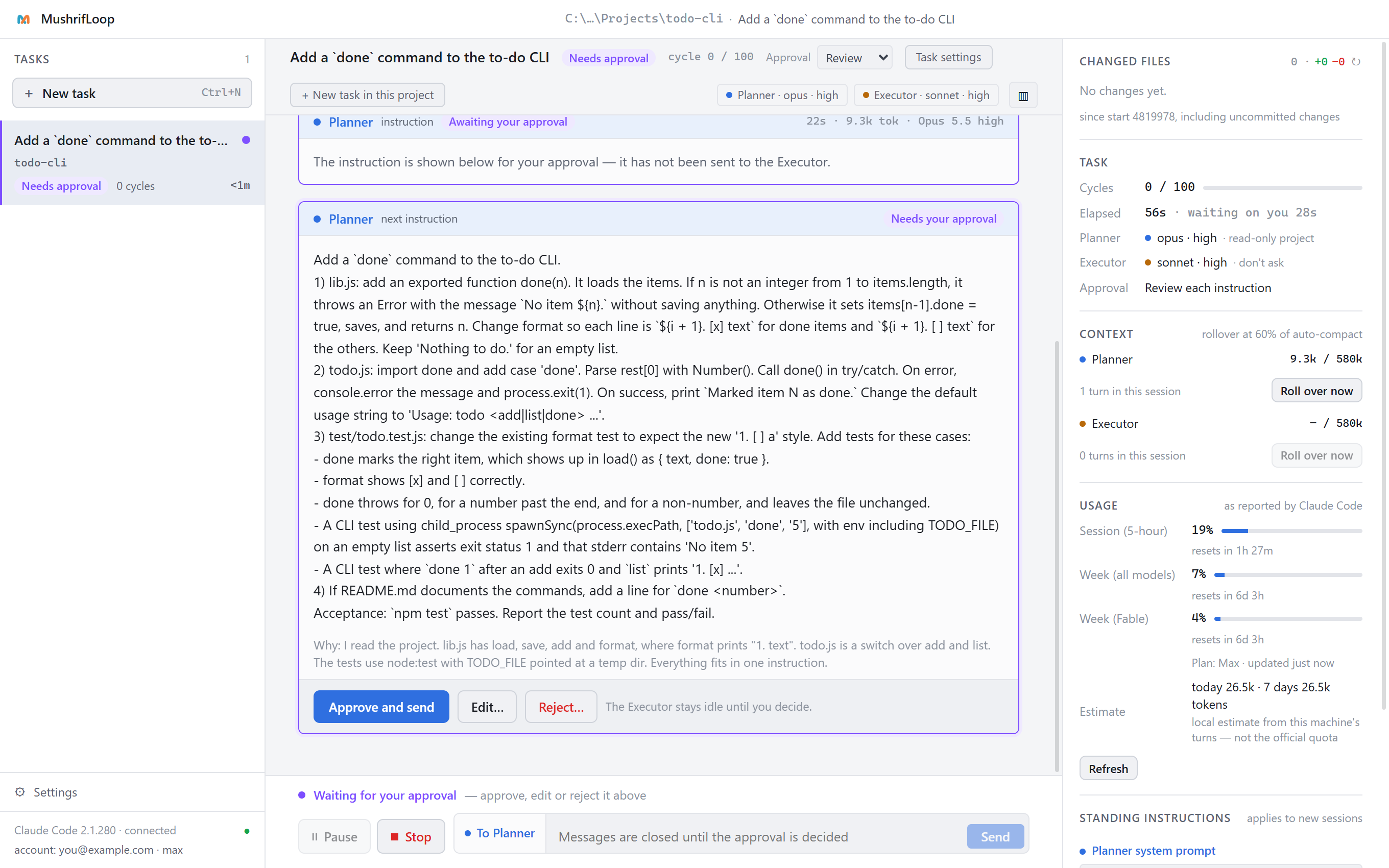
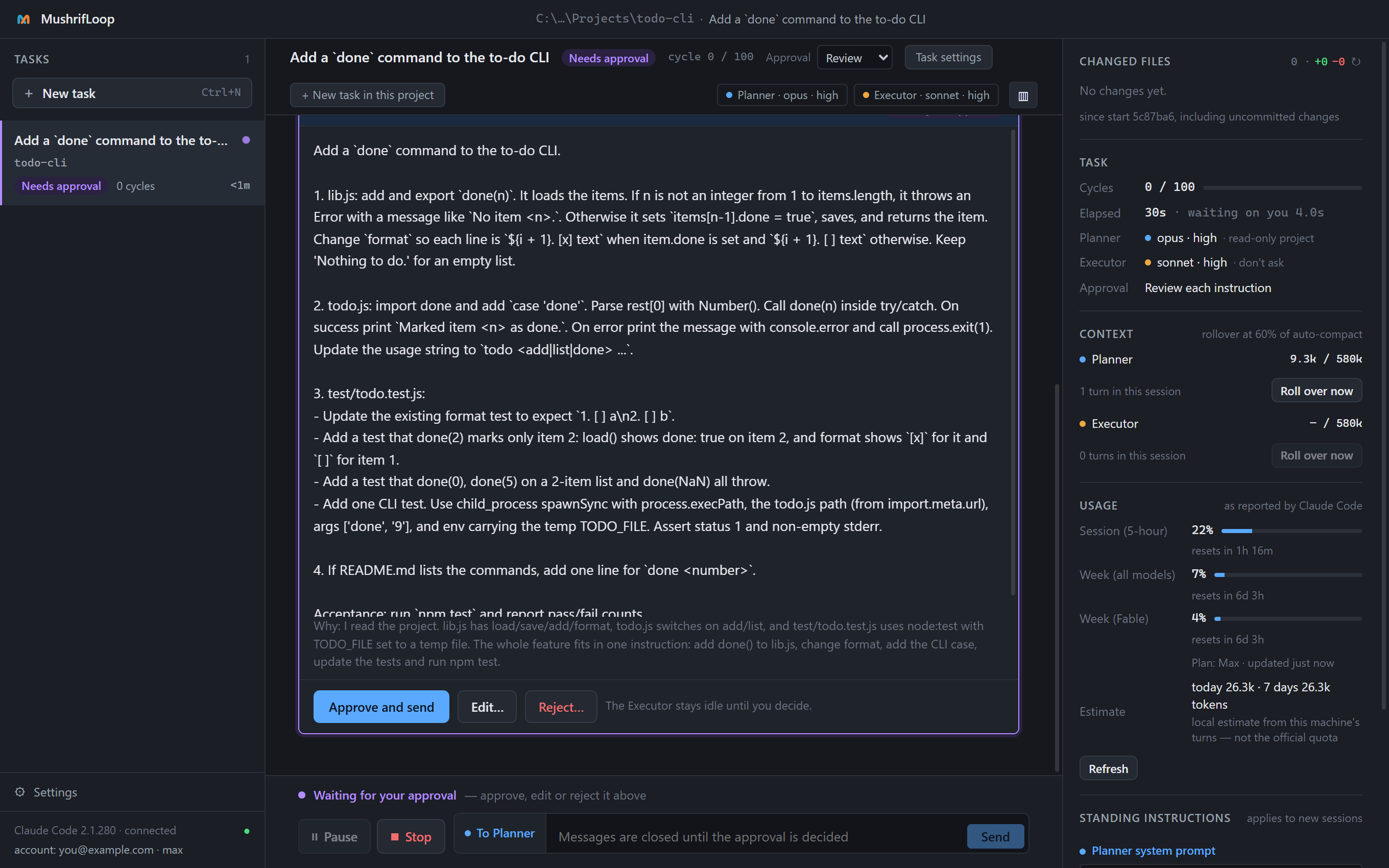
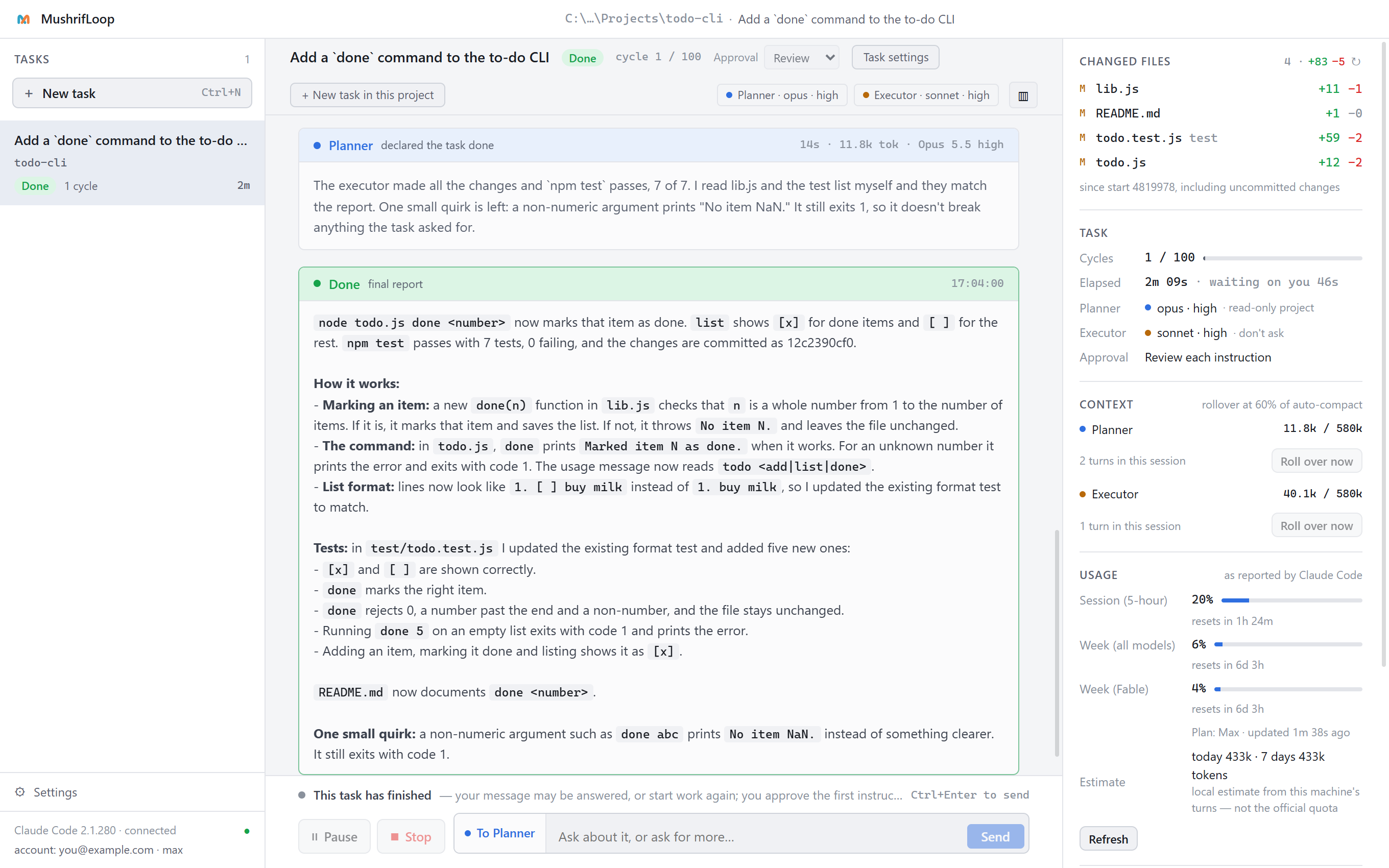
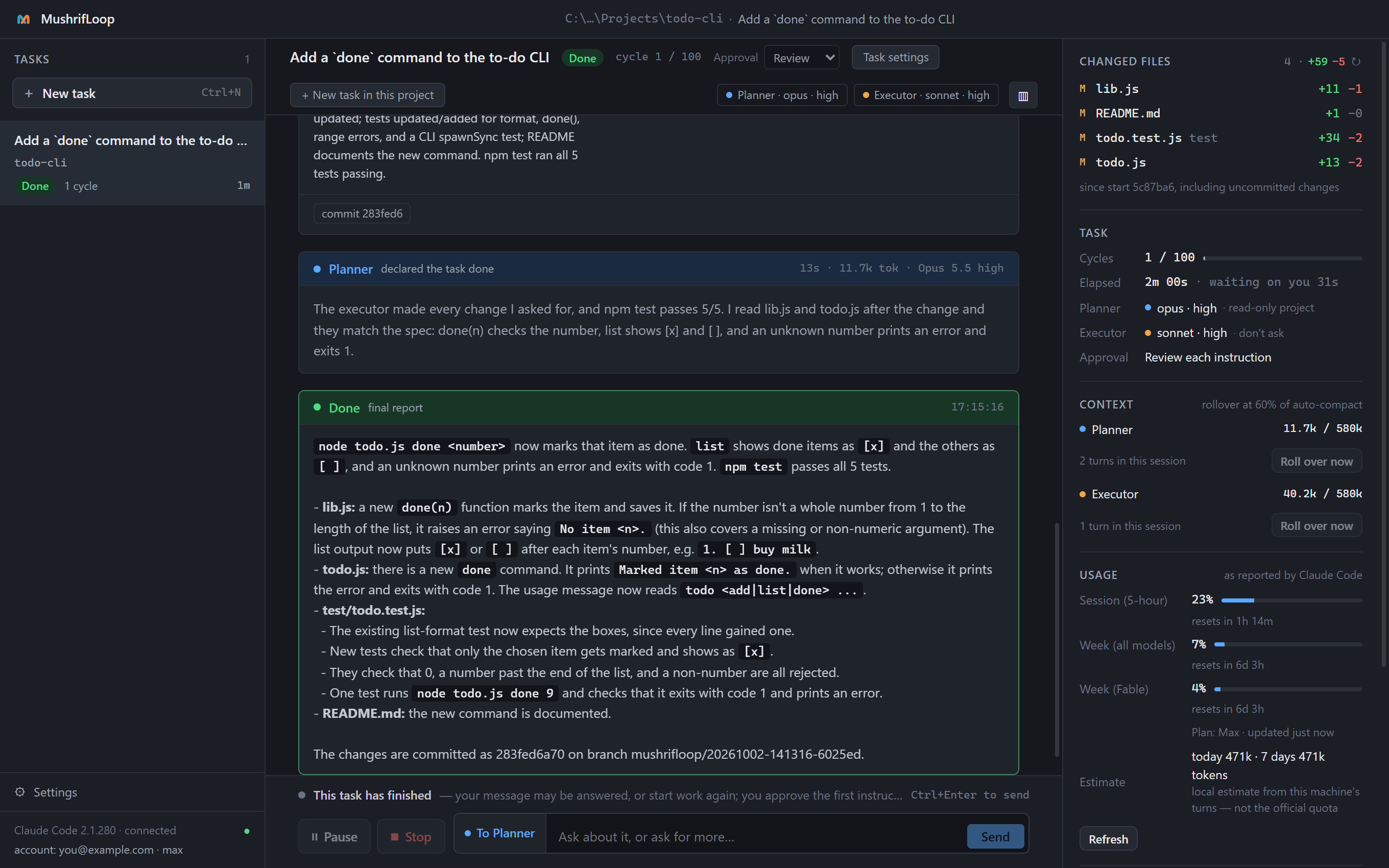
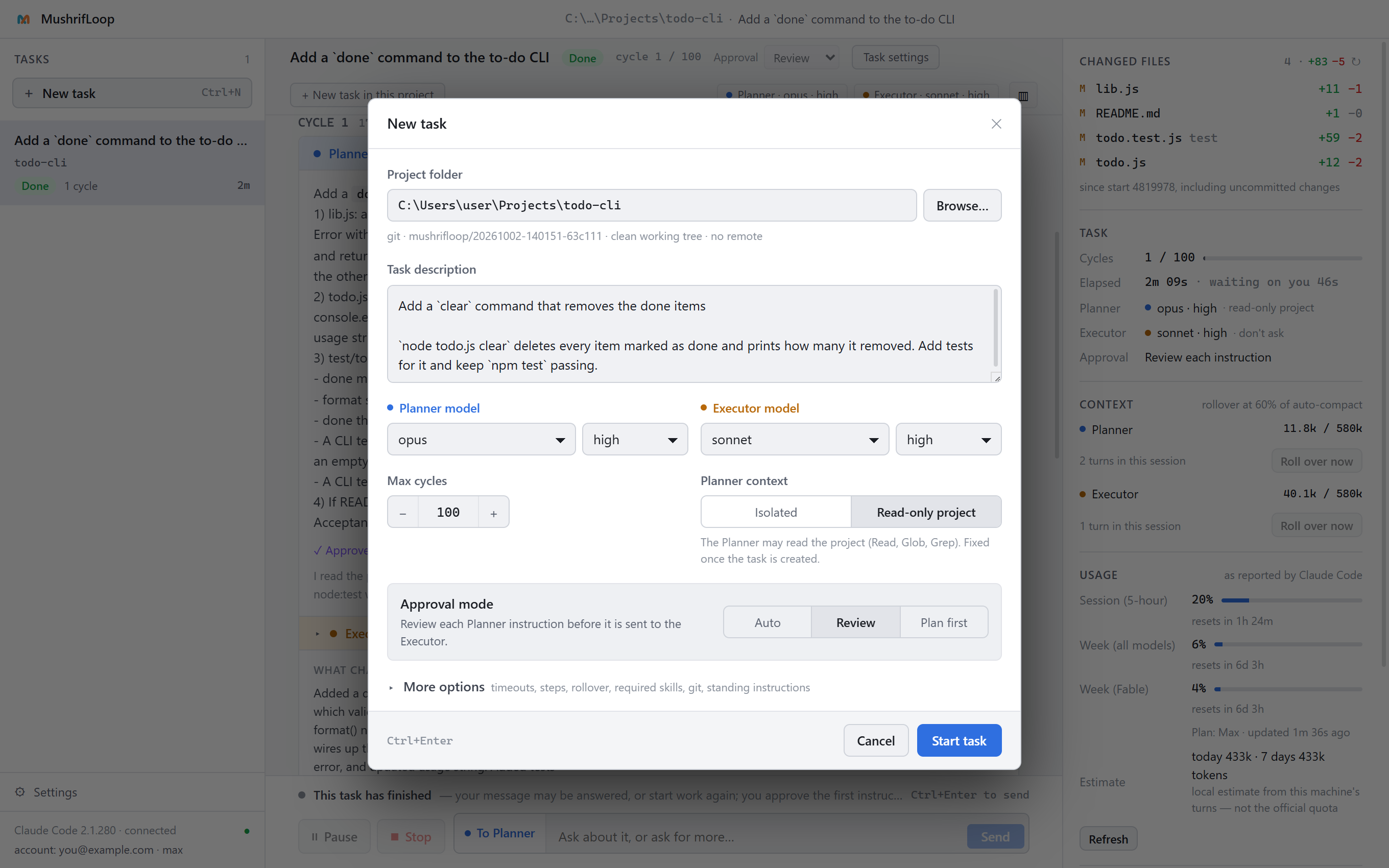
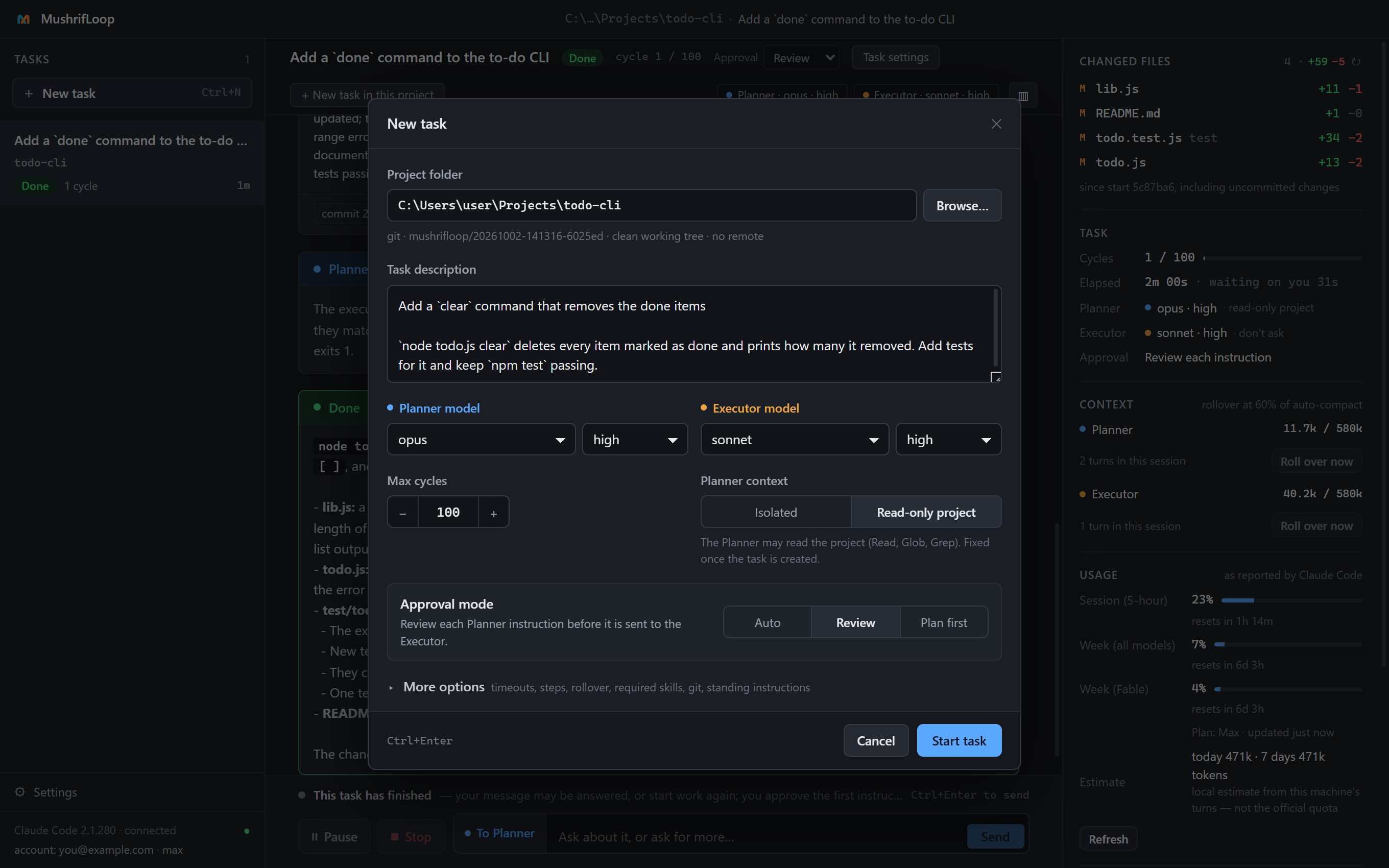
These are the app's own screens, on a small sample project: "add a done command to a to-do list". The task took one cycle and two minutes.
What you get
Supervision, built into every step.
The same Claude Code you already use, with an owner for the loop.
- SupervisionEvery instruction can be read and approved before it reaches the Executor.
- A review of every stepA second session checks each result against the task before the next step starts.
- CoordinationThe app moves the work between the two sessions, and handles context, limits and handoffs itself.
- Follow-upA timeline of every cycle, a commit per cycle, and the full record of every turn.
- Your timeA long task runs unattended and calls you only when a decision is yours.
- Your tasks, in orderGrouped by project, searchable, pinned or archived. A deleted task goes to the Recycle Bin.
Between them
The app holds the limits, so the agents don't have to.
None of this is left to the models. The orchestrator enforces it from outside the two sessions.
- ApprovalsRun unattended, read every instruction before it is sent, or approve one full plan first.
- A cycle capA task stops at the number of cycles you set.
- Turn timeoutsA turn that runs too long is stopped, with its whole process tree.
- Loop detectionThe same step going round again is caught, and the task stops.
- A commit per cycleOn a branch of its own. Your branch is left as it was.
- Account checksYou see which Claude account a turn would run on before it runs.
- Usage limitsWhen a limit is reached the task pauses with both sessions kept, to continue after the reset.
- A full recordEvery instruction, every report and the CLI's raw output are saved on your machine.
Plainly
What it costs.
It depends on the size of the task, on the models, and on what you compare it with.
Version 1.4.0 runs the Planner on Opus 5.5 and the Executor on Sonnet 5.5, both at medium effort, and fixes two things that made large tasks expensive. On three large tasks, all on the same Claude Code, every hidden test passed in all three ways of working. MushrifLoop cost $9.95 and took 44 minutes; plain Opus 5.5, $15.80 and 52 minutes; plain Sonnet 5.5, $11.39 and 47 minutes.
That is about 0.6 times plain Opus's cost and 0.9 times plain Sonnet's. The dollars are Claude Code's API prices; on a subscription they count against your usage limits instead.
Version 1.3.0, with the Executor on Sonnet 5 at high effort, cost about a quarter less than plain Opus on small and medium tasks, and a little over twice as much on large ones, taking nearly twice as long. The Planner is the small part of the bill: about 6% on large tasks.
Early numbers, one run per task: enough to show it is no longer the expensive option on large tasks, not enough to rank the three. Larger runs will be published here, whatever they say.
Install
Download, run, and it checks the rest.
- Install Claude Code and sign in, if you have not already.
- Download the installer or the portable exe from the Releases page.
- Run it. First-run setup checks that Claude Code is present, new enough and signed in before it lets you start.
Windows will warn you
The installer is not code-signed yet, so SmartScreen says "Windows protected your PC". Choose More info, then Run anyway. Each release lists the SHA-256 of its files. Check your download with:
certutil -hashfile <the file you downloaded> SHA256
Your data
Everything stays on your machine.
MushrifLoop never talks to the Anthropic API itself.
-
Your own accountEvery turn is an ordinary
claudeprocess, unmodified, under whoever is signed in to Claude Code. The app has no account, key or billing of its own. - No telemetryThe app collects nothing. It makes two requests itself: it asks the npm registry for the latest Claude Code version, and GitHub for the latest MushrifLoop release (you can switch that one off).
-
Local filesTasks, settings and logs live in
%APPDATA%\MushrifLoop, and stay there when you uninstall unless you choose otherwise.